Note: After a factory reset you will need to re-register the camera with mydlink. Do not unplug the power from the device during this procedure.
Step 1: With the unit on, place a paper clip into the hole on the front on the unit labeled Reset.
Step 2: Use the paperclip to press the button inside the hole for 10 seconds and release.
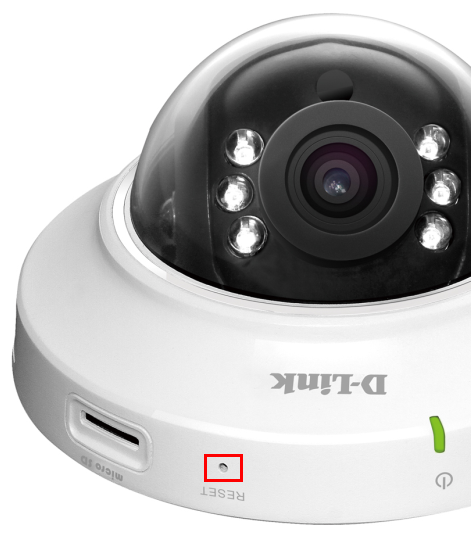
Step 3: The unit will then reboot. Once the LED light on the front of the unit stops blinking, the unit is reset and all settings are restored to their defaults.