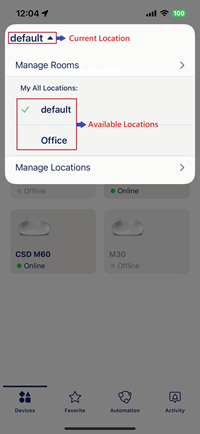
Step 1: Launch the AQUILA PRO AI app and then log in with your D-Link account.
Step 2: Tap the current location from the upper left corner. Then tap to choose another location from the drop-down list.
0 people found this useful.
Thank you for your feedback.
Sorry we couldn't help! Click here for more FAQs or go to Support.