Binding Protocol is a key component in the operation of load balancing.
This protocol allows a specific service to be associated with one of the WAN links available.
Step 1 – Login to the DSR via your browser and go to “Protocol Binding”
Network > Routing > Binding Protocol
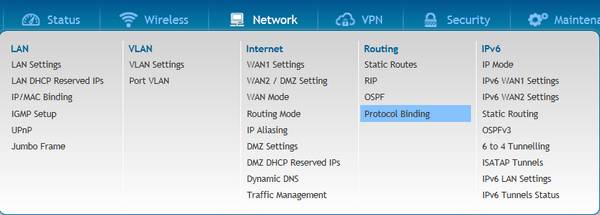
Step 2 - Once inside the option click “Protocol Binding”
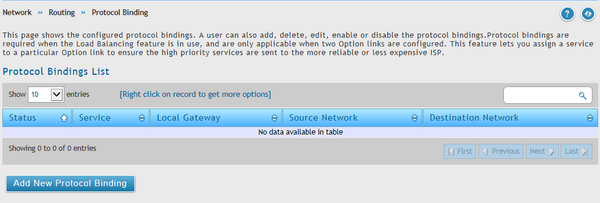
Step 3 - Within Configuration Protocol Bindings you will find the following options:
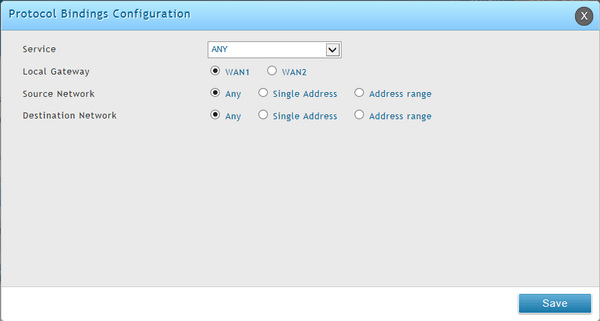
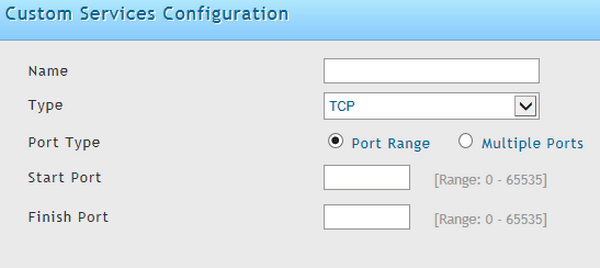
The user specifies the service name, choosing from a list of predefined or custom services.
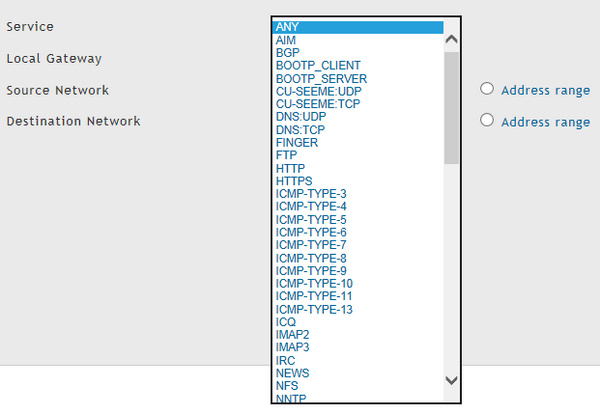
Local Gateway: Assign the specific WAN link to the service indicated above

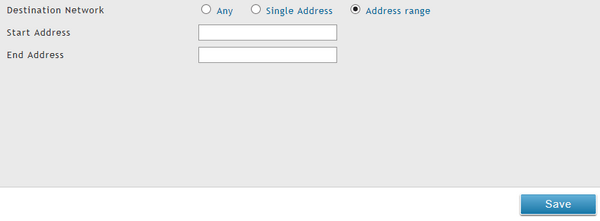
Source Network: The user specifies the LAN hosts assigned to the rule of Binding Protocol. Only these hosts that are linked to the protocol can transmit or receive the corresponding traffic through the selected WAN. While the other hosts transmit traffic through the other WAN port(s). The user can choose to assign the rule to any host, a single machine on the LAN or a set of hosts within a pool of IP addresses