Products
ProductsSolutionsApplications
Resources
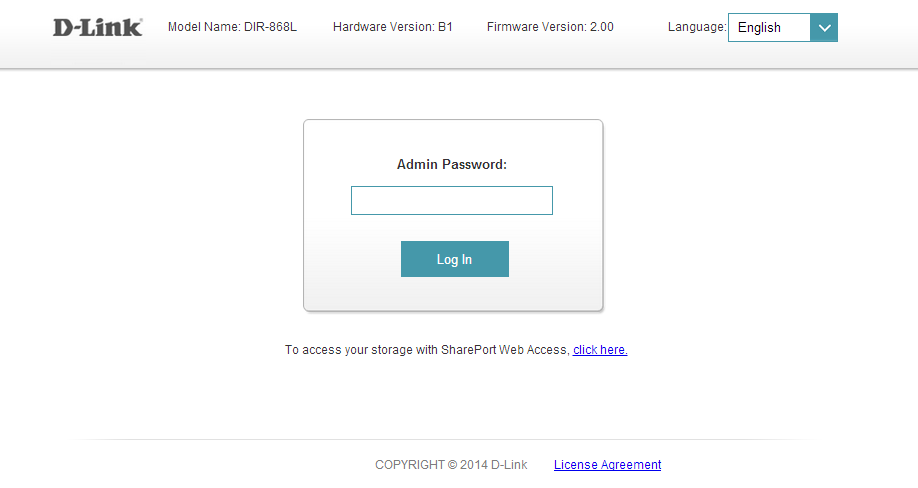
Step 1: Open an Internet browser (such as Internet Explorer) and enter http://dlinkrouter.local or http://192.168.0.1 into the address bar.
Step 2: Enter the password for your Admin account in the field provided. If you have not changed this password from the default, leave the field blank. Click Log In.
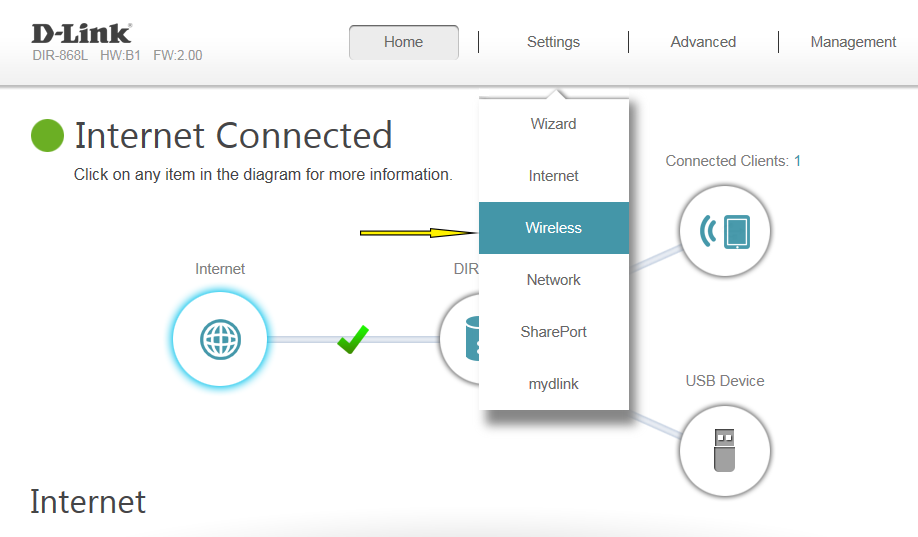
Step 3: Move the cursor to the Settings tab and then click Wireless from the drop-down menu.
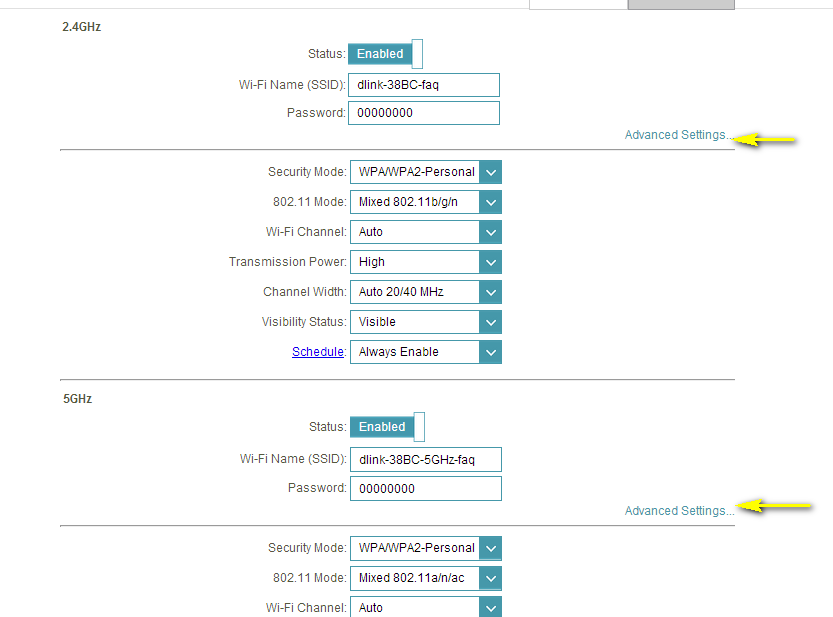
Step 4: Click Advanced Settings… for the band you wish to change the wireless security mode for.
Step 5: Select WEP from the Security Mode drop-down menu.
Step 6: Enter the desired Password in the field provided.
Click Save to save your configuration.
8 Други потребители намират това за полезно.
Беше ли това полезно за Вас?8 Други потребители намират това за полезно.
Благодарим Ви за обратната връзка.
Съжаляваме, че не успяхме да помогнем! Натиснете тук за повече Въпроси и отговори или за да отидете в секция Поддръжка.