Step 1: Login to camera web UI, and Click

icon.
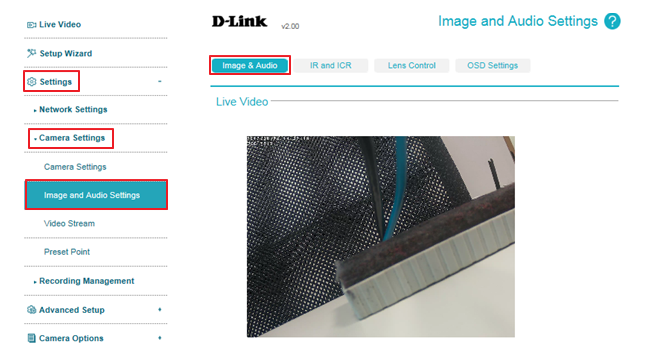
Step 2: Select
Setting ->
Camera Setting ->
Image and Audio Setting, then it will be under
Image & Audio item:
 Step 3:
 Use the drop-down box of White Balance to change white balance settings to help balance colors for different environments.
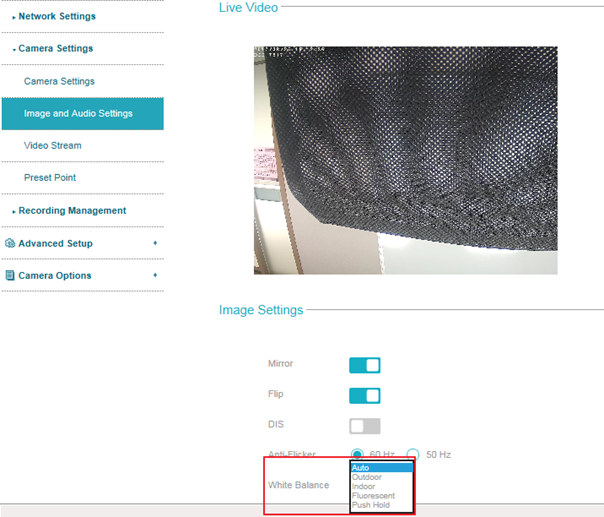
Note: You can choose from Auto, Outdoor, Indoor, Fluorescent, and Push Hold. If you choose Push Hold, hold a white card or grey card in front of the camera, then click the Save button to set the camera's white balance.