Products
ProductsSolutionsApplications
Resources
Information:
The use of load balancing with multiple WAN links can provide simultaneous outbound traffic efficiency and optimizing bandwidth. The following is a typical scenario of load balancing that involves all Internet traffic and can dynamically share the WAN links Round-Robin Algorithm.
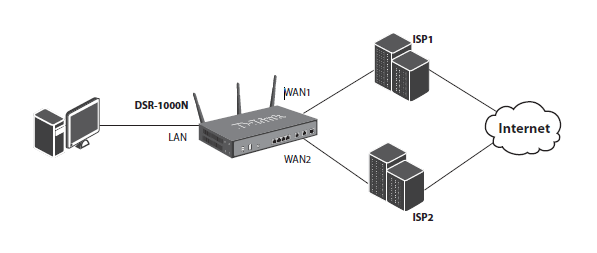
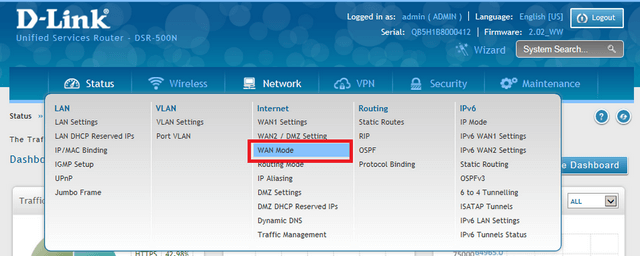
Step 1 – Login to the DSR using its IP address

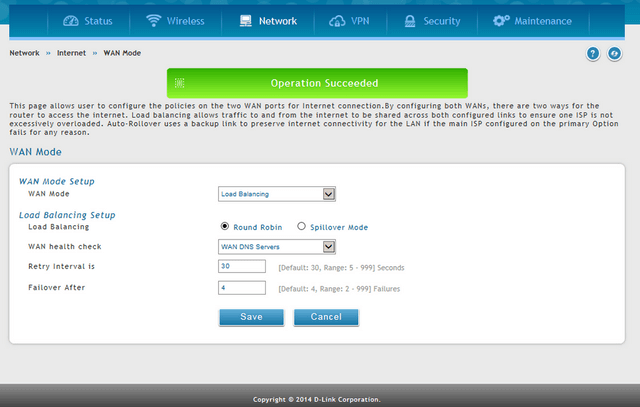
Network > WAN Mode
Step 2 – Select “Load Balancing” from the drop-down list and select “Round Robin”
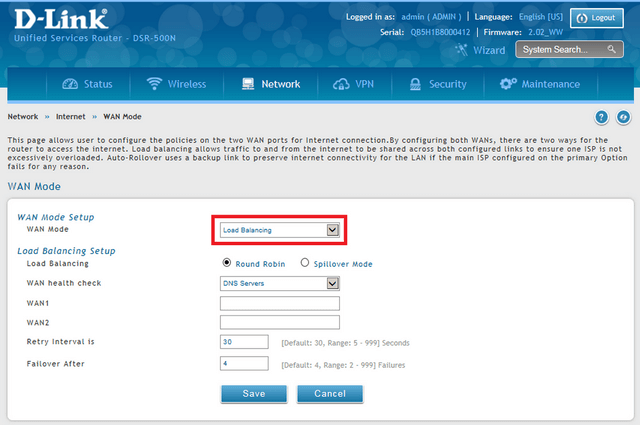
Round Robin:
This is when the new Internet connections alternate between WANs available.
Spillover:
This will use a single WAN link for all connections up until the maximum bandwidth limit (pre-configured) has been reached. After that the other WAN link is used for the new connections
Step 3 – For the DSR to check the status of connections WANs have three options to configure WAN health check. They are as follows:
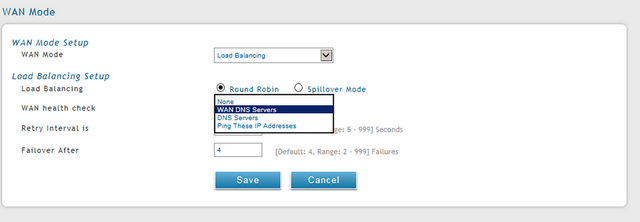
Once you have selected the verification mode, click “Save”
Note:
Binding Protocol – Network > Routing > Protocol Binding
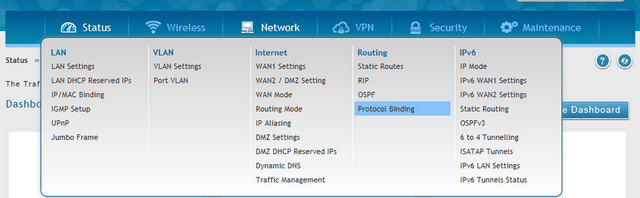
This is a key component with regards to “Load Balancing”.
This protocol allows a specific service to be associated with one of the available WAN links.
A description of this can be seen below:
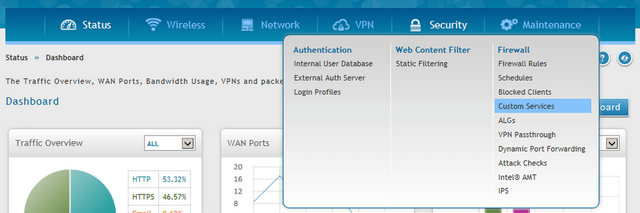
When a user adds a rule, the device updates the new entry and displays it in the Protocol Bindings List table. The table shows information about the service, the network source and destination and also if the link-up is enabled or not. The user can enable, disable and or edit a binding standard and also remove configured links if and when needed.