產品
產品方案應用
產品方案應用
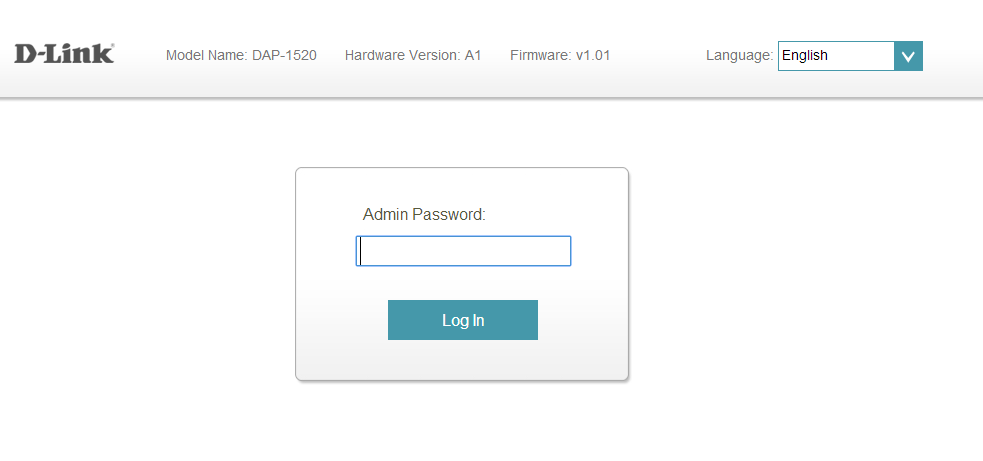
Step 1: Open a web browser and enter http://dlinkap.local in the address bar.

Step 2: Enter your Admin Password in the field provided. If you have not changed the password from the default setting, the password field is to be left blank. Click Log In.
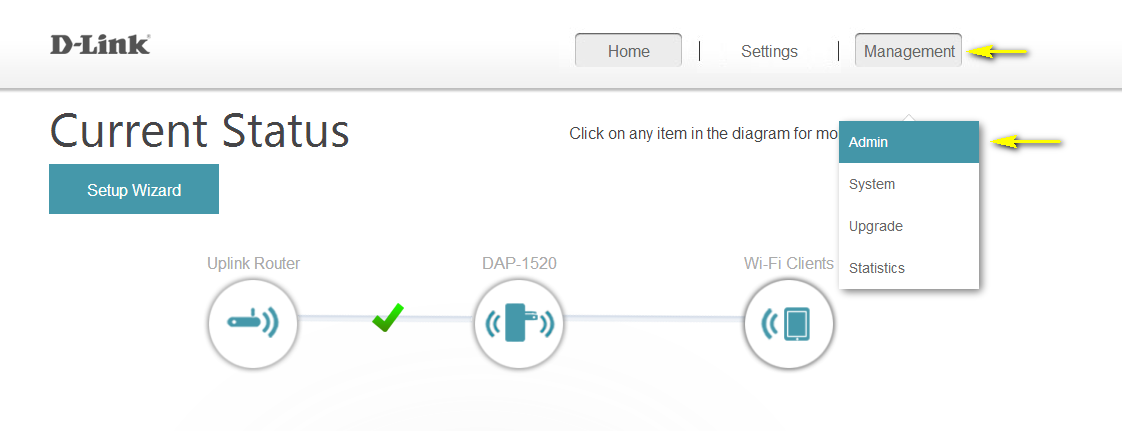
Step 3: Move the cursor to Management at the top right-hand corner of the screen, then click Admin from the drop-down menu.
Step 4: To change the Administrator password, enter a new password in the Admin Password field. If you wish to enable CAPTCHA graphical authentication, click on the slider to adjust the setting. CAPTCHA uses a challenge-response test in order to prevent unauthorized access using automated means.
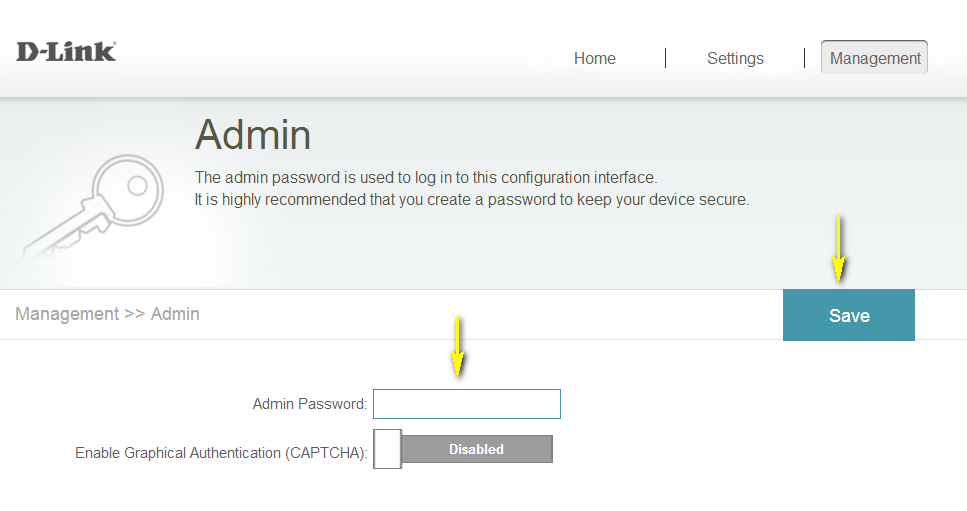
Step 5: Click Save to save the current configuration.
點擊前往並登入會員後,至下方「訂閱電子報」欄位勾選/移除電子報類型即可。