.png)
.png)
.png)
.png)
.png?h=85&w=120&la=de-DE&hash=CE449DBAA1599C2425B9A1EDC4FFAAC0)
.png?h=85&w=120&la=de-DE&hash=0115D746892F064268150264E00FF2AF)
.png?h=85&w=120&la=de-DE&hash=21485783B28A8F8FA00AAA12D18EC887)
.png?h=85&w=120&la=de-DE&hash=74F460FC551FBCFDA2D0CCA118914173)
Wireless AC Dual-Band ADSL2+ Modem Router
GO-DSL-AC750
- Produkt Status (Revision T): End of Life
High-Speed Wired and Wireless Connectivity
The GO-DSL-AC750 Wireless AC Dual-Band ADSL2+ Modem Router uses the latest high-speed wireless technology to bring you lightning-fast combined Wi-Fi speeds of up to 750 Mbps1, and increased range. Enjoy streaming media, Internet phone calls, online gaming, and content-rich web surfing throughout your home. In addition, four Fast Ethernet ports give you solid, dependable wired performance for devices such as media centres and gaming consoles. The built-in Quality of Service (QoS) engine allows you to prioritise important traffic to ensure that your favorite applications are receiving optimal bandwidth.
Dual-Band Wireless for Seamless Performance
The GO-DSL-AC750 Wireless AC Dual-Band ADSL2+ Modem Router features dual-band wireless, allowing you to operate two concurrent, high-speed Wi-Fi bands for ultimate wireless performance. Surf the web, chat, and play online games on the 2.4 GHz band, while simultaneously streaming digital media on the 5 GHz band. What’s more, each band can operate as a separate Wi-Fi network, giving you the ability to customise your network according to your connectivity needs. You can even configure a guest zone to give visitors Internet access without giving them access to the rest of your network.
Easy to Set Up, Easy to Secure
Sharing your Internet connection doesn’t have to be a complicated process; just open a web browser to access the setup wizard and follow the easy step-by-step instructions to get started. Implement WPA/WPA2 wireless security in minutes with the wireless network setup wizard, or use Wi-Fi Protected Setup (WPS), which establishes a secure connection to new devices without the need to enter settings or create passwords. In addition, the built-in firewall protects against malicious attacks from the Internet, and access control features allow you to restrict access to your network.
Share a Storage Drive or Printer Easily
Connect a USB storage device to the GO-DSL-AC750 to create a shared storage space, making it easy to share music, movies and documents between computers and devices connected on your home network. Plug in a USB hard drive and access your library of videos and music from your laptop. You can even customise your shared storage space by creating separate accounts to control access to the USB drive, so you can share your music with everyone but keep your personal files private. You can also connect a USB multifunctional printer to share printing and scanning functions, allowing a single printer to be shared with an office or a household.
Weitere Produkte
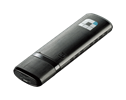
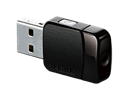
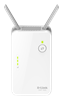
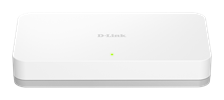
Specs
|
Wireless standard
|
Wireless AC Wireless N |
|---|---|
|
Wireless speed
|
433 Mbps 5 GHz 300 Mbps 2.4 GHz |
|
Frequency band mode
|
Dual-band simultaneous |
|
Wired interface
|
ADSL2/2+ 4 x Fast Ethernet LAN |
|
Antenna type
|
Embedded omni-directional antennas |
|
Die tatsächliche Leistung kann aufgrund von Einstellungen, Verkabelung, Temperatur, Netzwerkkonfiguration, Schnittstelle, Gerätekompatibilität, Umgebungs- und Standortbedingungen sowie anderen ähnlichen Faktoren variieren. Angaben zu Leistungsfähigkeit, Signal- oder Verarbeitungsgeschwindigkeit, Signalreichweite oder -entfernung, Datenverschlüsselung, Speicherkapazität, Anzeigeeigenschaften oder anderen Leistungskennzahlen basieren auf optimalen Bedingungen, die sich aus Industriestandards ableiten, und dienen nur zu Informationszwecken. Die technischen Daten können ohne vorherige Ankündigung geändert werden. |
|
FAQ
- Warum hat mein WLAN-Client lediglich eine Verbindung mit 54 MBit, obwohl mein WLAN-Router allerdings Wireless N hat? Antwort lesen
- Warum kann ich WMM nicht ausschalten? Antwort lesen
- Wie binde ich einen Windows 10 PC/Laptop/Tablet in mein WLAN ein? Antwort lesen
| Version | Datum | Typ | Dateigröße | |
|---|---|---|---|---|
| Datenblatt in Englisch | - | - | - | Herunterladen |
| Version | Beschreibung | Datum | Typ | Dateigröße | |
|---|---|---|---|---|---|
| Handbuch in Englisch | Handbuch in Englisch | - | - | - | Herunterladen |
| Version | Beschreibung | Datum | Typ | Dateigröße | |
|---|---|---|---|---|---|
| Anleitung zur Schnelleinrichtung | Anleitung zur Schnelleinrichtung | - | - | - | Herunterladen |
http://tsd.dlink.com.tw/GPL.asp
Der in der Firmware für dieses Produkt beinhaltete GPL Code und LGPL Code wird OHNE GARANTIEÜBERNAHME verbreitet; das Urheberrecht dafür liegt bei einem oder mehreren Autoren. Details finden Sie im GPL Code und im LGPL Code in der Firmware für dieses Produkt sowie in den GPL- und LGPL-Nutzungsbedingungen.
| Version | Beschreibung | Datum | Typ | |
|---|---|---|---|---|
| 1.08 | Aktuelle Firmware, mehrsprachig, u.a. Deutsch | 29.11.2016 | - | Herunterladen |
| Version | Beschreibung | Datum | |
|---|---|---|---|
| GPL Firmware Quellcode | GPL Firmware Quellcode | - | Herunterladen |
| Version | Beschreibung | Datum | |
|---|---|---|---|
| Android anbinden | Anleitung zur Anbindung eines Android Smartphone oder Tablet an das bestehende WLAN Ihres D-Link WLAN-Routers | - | Herunterladen |
| Apple iPhone, iPad und iPod Touch anbinden | Anleitung zur Anbindung eines Apple Smartphone oder Tablet an das bestehende WLAN Ihres D-Link WLAN-Routers |
- | Herunterladen |
| Windows 7 PC anbinden | Anleitung zur Anbindung eines Windows 7 PC/Notebook an das bestehende WLAN Ihres D-Link WLAN-Routers | - | Herunterladen |
| Windows 8.x PC anbinden | Anleitung zur Anbindung eines Windows 8 PC/Notebook an das bestehende WLAN Ihres D-Link WLAN-Routers Für Windows 8 und 8.1 |
- | Herunterladen |
| Windows 8.x Tablet anbinden | Anleitung zur Anbindung eines Windows 8 Tablet an das bestehende WLAN Ihres D-Link WLAN-Routers |
- | Herunterladen |
| Windows 10 PC, Laptop und Tablet anbinden | Anleitung zur Anbindung eines Windows 10 Gerätes an das bestehende WLAN Ihres D-Link WLAN-Routers Für Windows 10 |
- | Herunterladen |
| CE Declaration Rev.T1 | CE Declaration Rev.T1 | - | Herunterladen |