產品
產品方案應用
產品方案應用
Please launch your browser and enter http://covr.local./ into the address bar. Then login and follow the steps below:
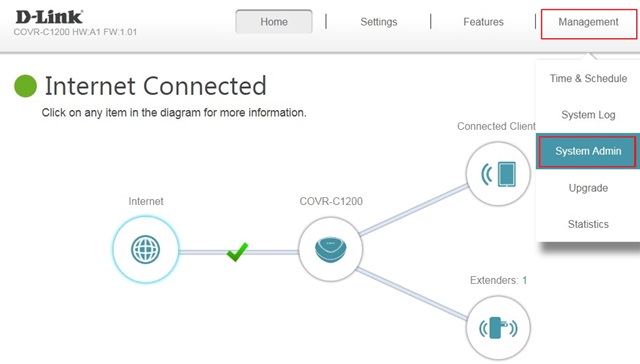
Step 1: Click Management -> System Admin
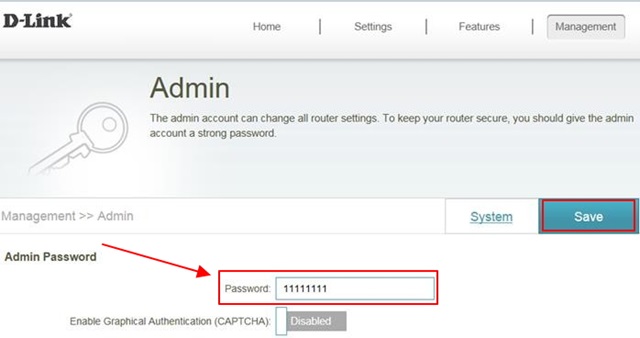
Step 2: Enter a new admin password and click Save. Next time you want to access the web user interface, use your new password to log in:
點擊前往並登入會員後,至下方「訂閱電子報」欄位勾選/移除電子報類型即可。