產品
產品方案應用
產品方案應用
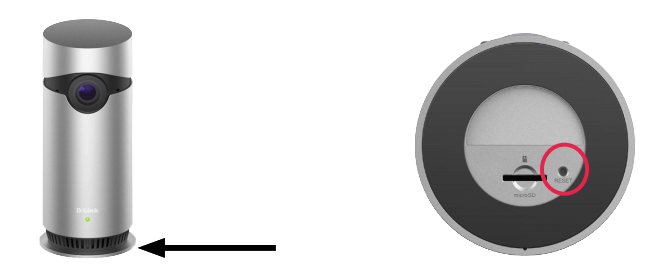
Use a paperclip to depress the reset button on the base of the Camera. The reset button only needs to be depressed momentarily. The indicator LED on the front of the camera will turn red to indicate that the camera is resetting. The reset process should take around 1-2 minutes, with the indicator LED flashing orange to indicate that the reset process has been completed and the camera is ready to be added to your home network.
點擊前往並登入會員後,至下方「訂閱電子報」欄位勾選/移除電子報類型即可。