產品方案應用
產品方案應用
Note: After a factory reset you will need to re-register the camera with mydlink. Do not unplug the camera from the power during this procedure.
Step 1: Remove the protective cover from the rear of the unit.
Step 2: With the unit on, use a paperclip to press the button located inside the small hole on the underside of the cavity exposed by removing the protective cover.
Step 3: Press and hold the button inside the hole for 10 seconds and release.
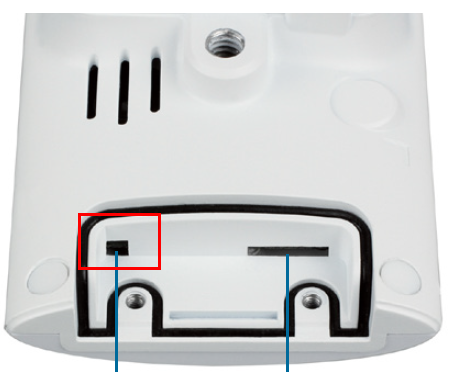
Step 4: The unit will then reboot. Once the LED light on the front of the unit turns green, the unit has been reset and all settings have been restored to their defaults.
點擊前往並登入會員後,至下方「訂閱電子報」欄位勾選/移除電子報類型即可。