
How can I change the Wi-Fi network that my mydlink Baby Camera uses?
Note: After you have changed the camera’s Wi-Fi network, you will need to connect your smart phone/tablet to same Wi-Fi network in order to access the camera’s live feed locally.
Step 1: Launch the mydlink Baby app.
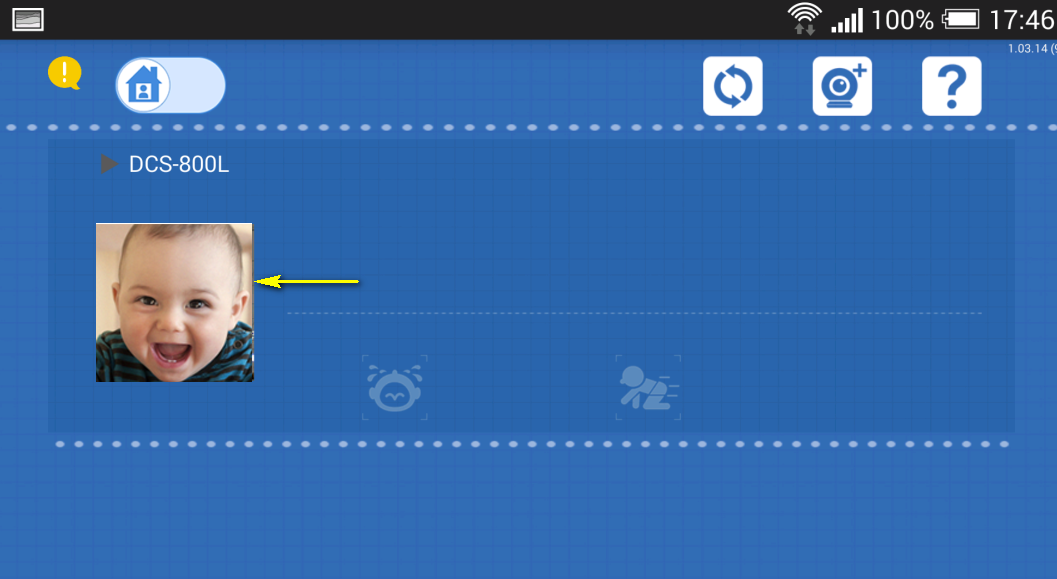
Step 2: Tap the camera which you want to change the Wi-Fi network for.
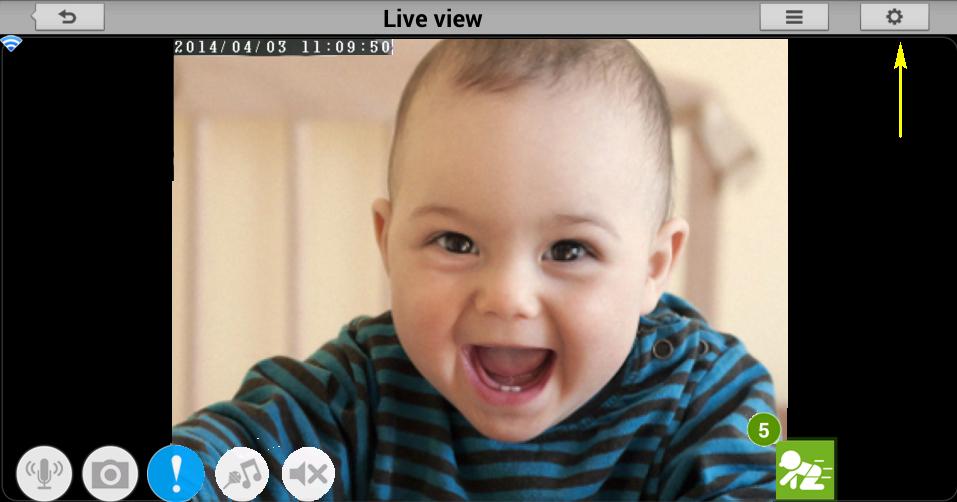
Step 3: Tap the settings icon in the top right-hand corner of the screen.
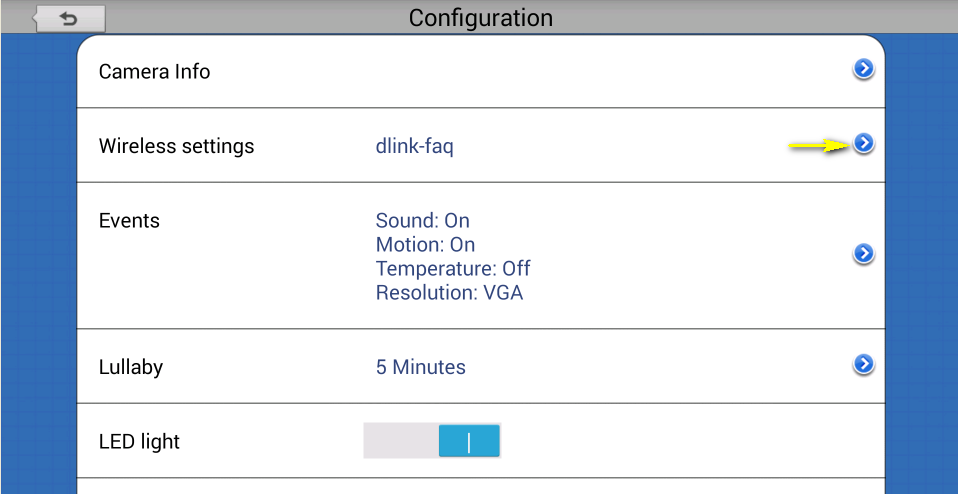
Step 4: Tap the arrow to expand the Wireless settings section
Step 5: Select the Wi-Fi network which you want to change to.
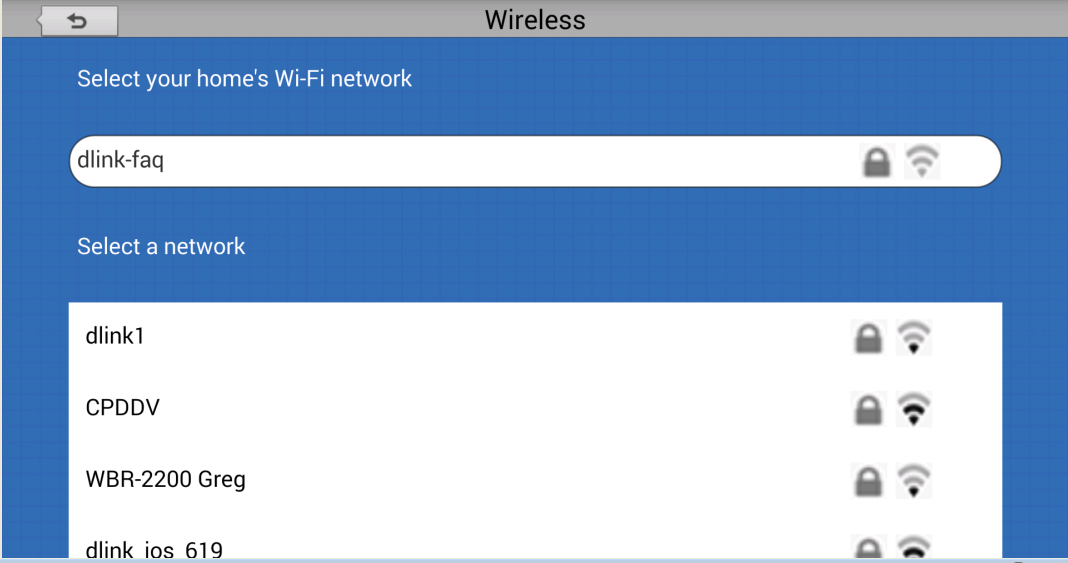
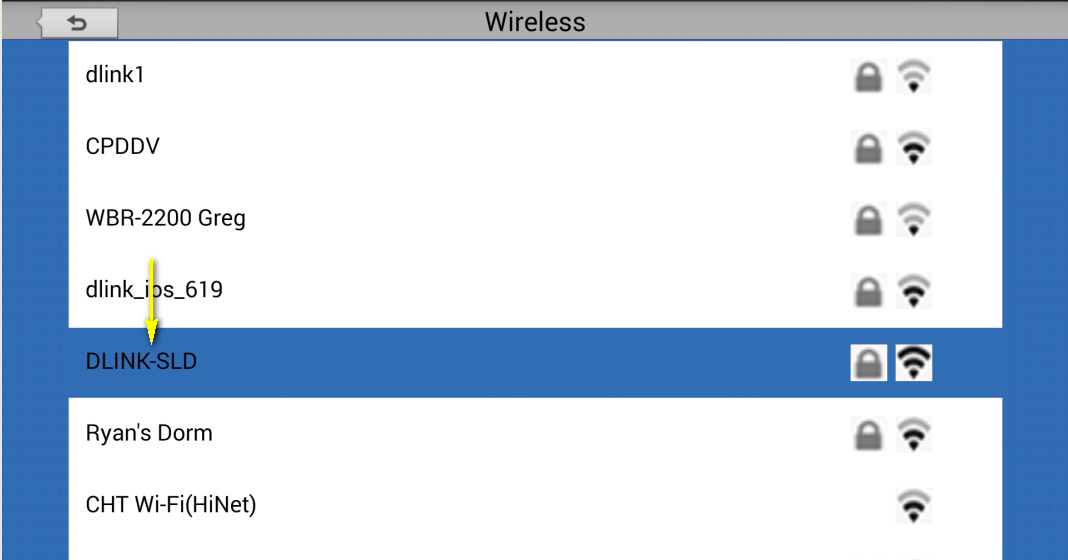
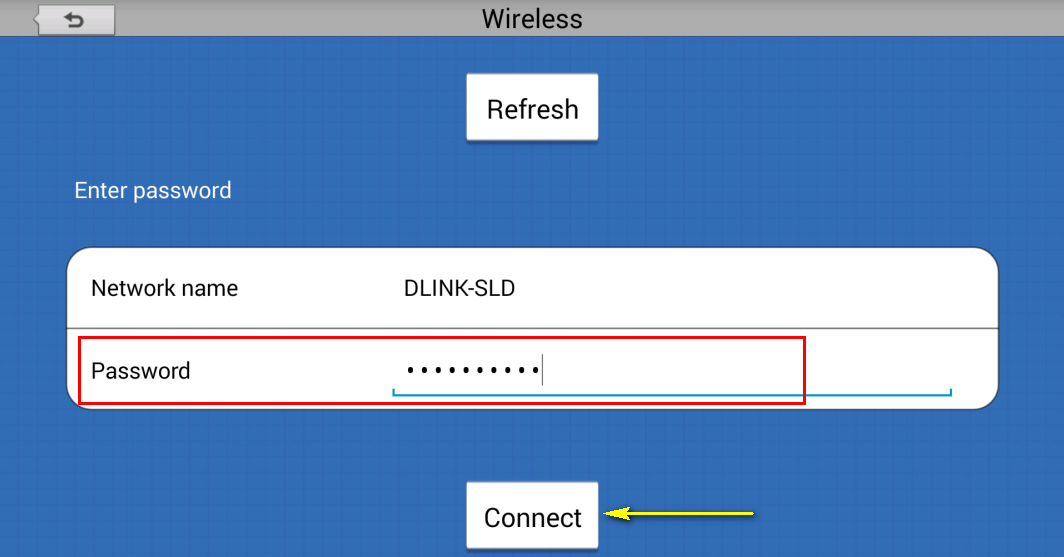
Step 5: Enter the password for the new Wi-Fi network. Tap Connect.
Step 6: Once this process has been completed, connect your smartphone or tablet to the same Wi-Fi network as the camera in order to view the live feed locally.
16 Други потребители намират това за полезно.
Беше ли това полезно за Вас?16 Други потребители намират това за полезно.
Благодарим Ви за обратната връзка.
Съжаляваме, че не успяхме да помогнем! Натиснете тук за повече Въпроси и отговори или за да отидете в секция Поддръжка.
Това също може да Ви помогне:
- How can I communicate through the Baby camera using two-way audio? Прочети отговорите
- How do I access my mydlink Baby camera remotely by using mydlink Web Portal? Прочети отговорите
- How do I change the password on my Baby Camera? Прочети отговорите
- How do I configure Internet Explorer® to allow ActiveX Controls? Прочети отговорите
- How do I configure Motion Detection on my mydlink Baby Camera using the mydlink service? Прочети отговорите
- How do I configure Sound Detection on my mydlink Baby Camera using the mydlink service? Прочети отговорите
- How do I play a lullaby through the mydlink Baby camera? Прочети отговорите