Products
ProductsSolutionsApplications
Resources
Note: mydlink Cloud Service registration requires the admin password
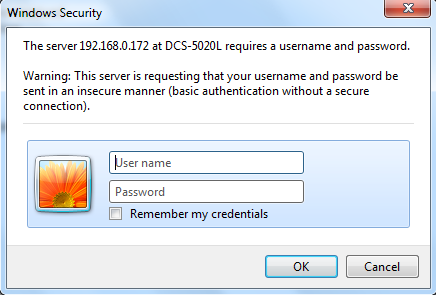
Step 1: Open a web browser and enter the IP address of the camera in the address bar (default is 192.168.0.20). Press Enter.
Step 2: The default username is admin and the password field should be left blank. Click OK.
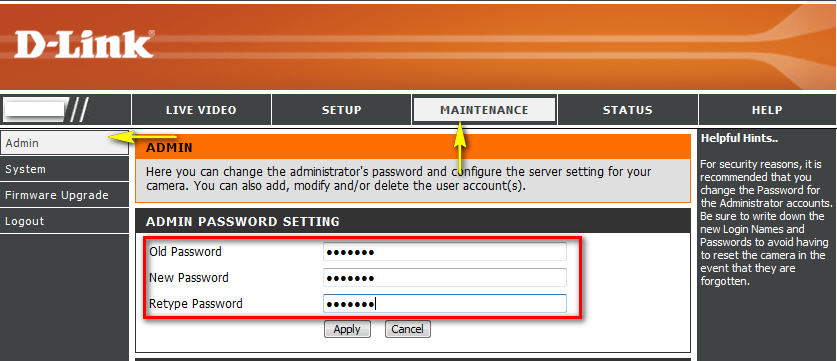
Step 3: Click the Maintenance tab at the top and then click Admin from the menu on the left-hand side.
Step 4: To change the administrator password, enter the existing administrator password (leave blank if you have not changed it from the default), and enter a new password in the New Password field under the Admin Password Setting section. You will need to type the new password again in the Retype Password field.
Step 5: Click Save to save the configuration.
95 Други потребители намират това за полезно.
Беше ли това полезно за Вас?95 Други потребители намират това за полезно.
Благодарим Ви за обратната връзка.
Съжаляваме, че не успяхме да помогнем! Натиснете тук за повече Въпроси и отговори или за да отидете в секция Поддръжка.