Products
ProductsSolutionsApplications
Resources
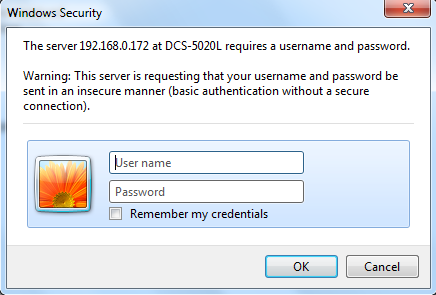
Step 1: Open a web browser and enter the IP address of the camera in the address bar (default is 192.168.0.20). Press Enter.
Step 2: The default username is admin and the password is blank (nothing). Click OK.
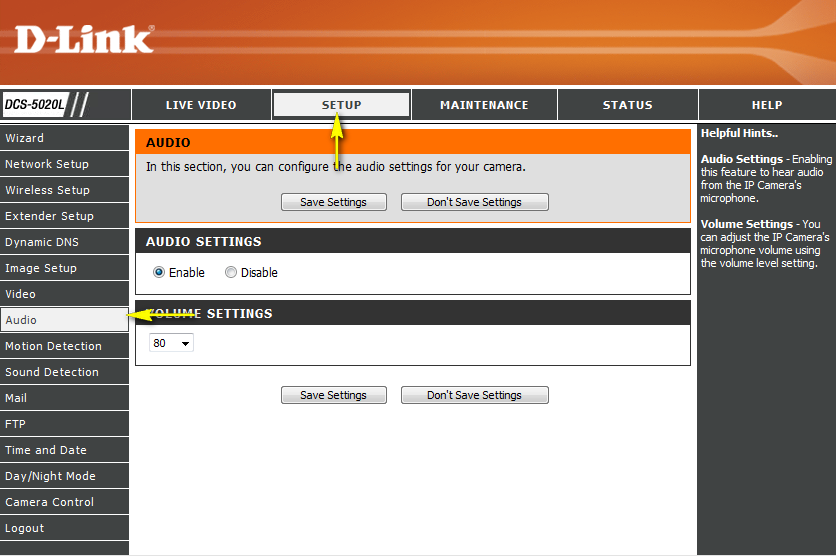
Step 3: Click the Setup tab and then click Audio to the left.
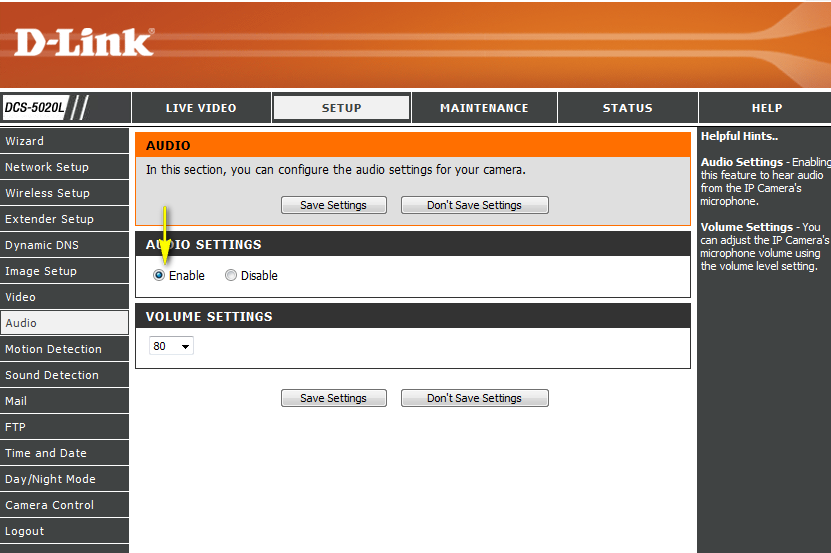
Step 4: Click Enable in the Audio Settings section.
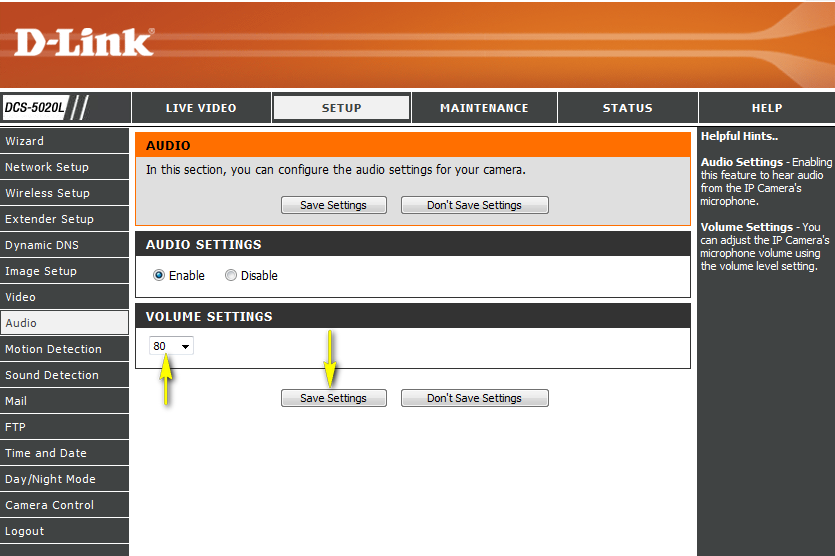
Step 5: Change the Volume Settings and click Save Settings to retain the changes.
10 Други потребители намират това за полезно.
Беше ли това полезно за Вас?10 Други потребители намират това за полезно.
Благодарим Ви за обратната връзка.
Съжаляваме, че не успяхме да помогнем! Натиснете тук за повече Въпроси и отговори или за да отидете в секция Поддръжка.