
How do I configure the audio settings (speaker and microphone) on my DCS-942L?
Step 1: Open a web browser and enter the IP address of the camera in the address bar (default is 192.168.0.20). Press Enter.
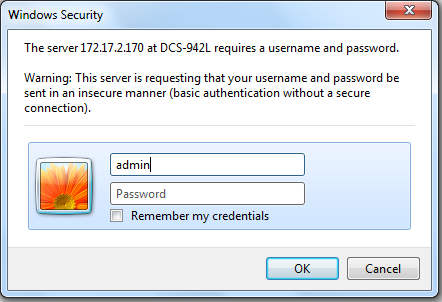
Step 2: The default username is admin and the password field should be left blank. Click OK.
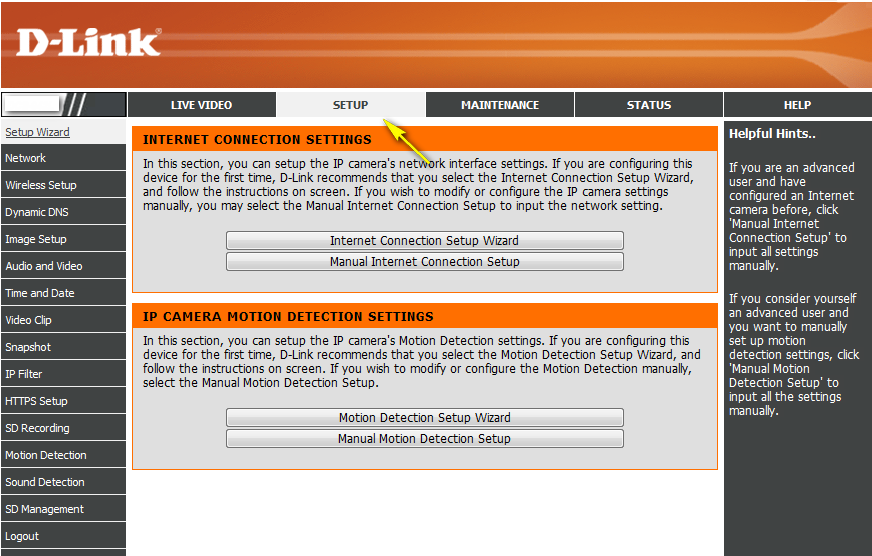
Step 3: Click on Setup on the top menu bar.
Step 4: Click Audio and Video from the menu on the left-hand side. To enable the speaker, check the Speaker option, and select a volume from the drop-down menu. To enable the microphone, check the Microphone option and select a volume from the drop-down menu.
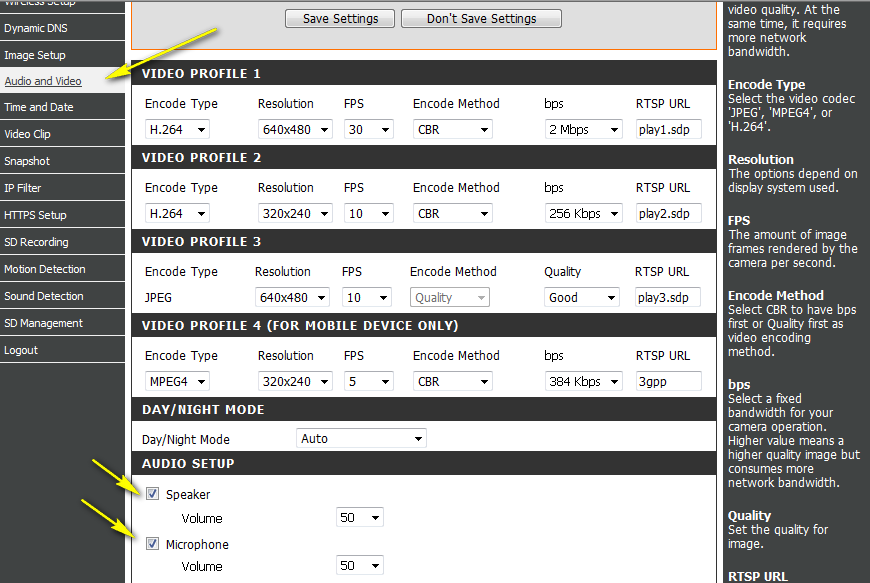
Click Save Settings to the left to save the current configuration.
37 Други потребители намират това за полезно.
Беше ли това полезно за Вас?37 Други потребители намират това за полезно.
Благодарим Ви за обратната връзка.
Съжаляваме, че не успяхме да помогнем! Натиснете тук за повече Въпроси и отговори или за да отидете в секция Поддръжка.
Това също може да Ви помогне:
- How do I change the LAN IP address of my camera? Прочети отговорите
- How do I configure motion detection on my camera? Прочети отговорите
- How do I configure recording to the Micro SD card on my DCS 942L Прочети отговорите
- How do I manually upgrade the firmware on my camera? Прочети отговорите
- How do I set an administrator (admin) password on my DCS-942L? Прочети отговорите
- How do you setup Motion Detection on my DCS 942L Прочети отговорите
- What do I do if I forget the login username & password of my camera? Прочети отговорите