

Wireless Controller
DWC-1000
- Product Status (Revision C): End of Sale
There's a new version of this product:
DWC-2000
Wireless Controller
Overview
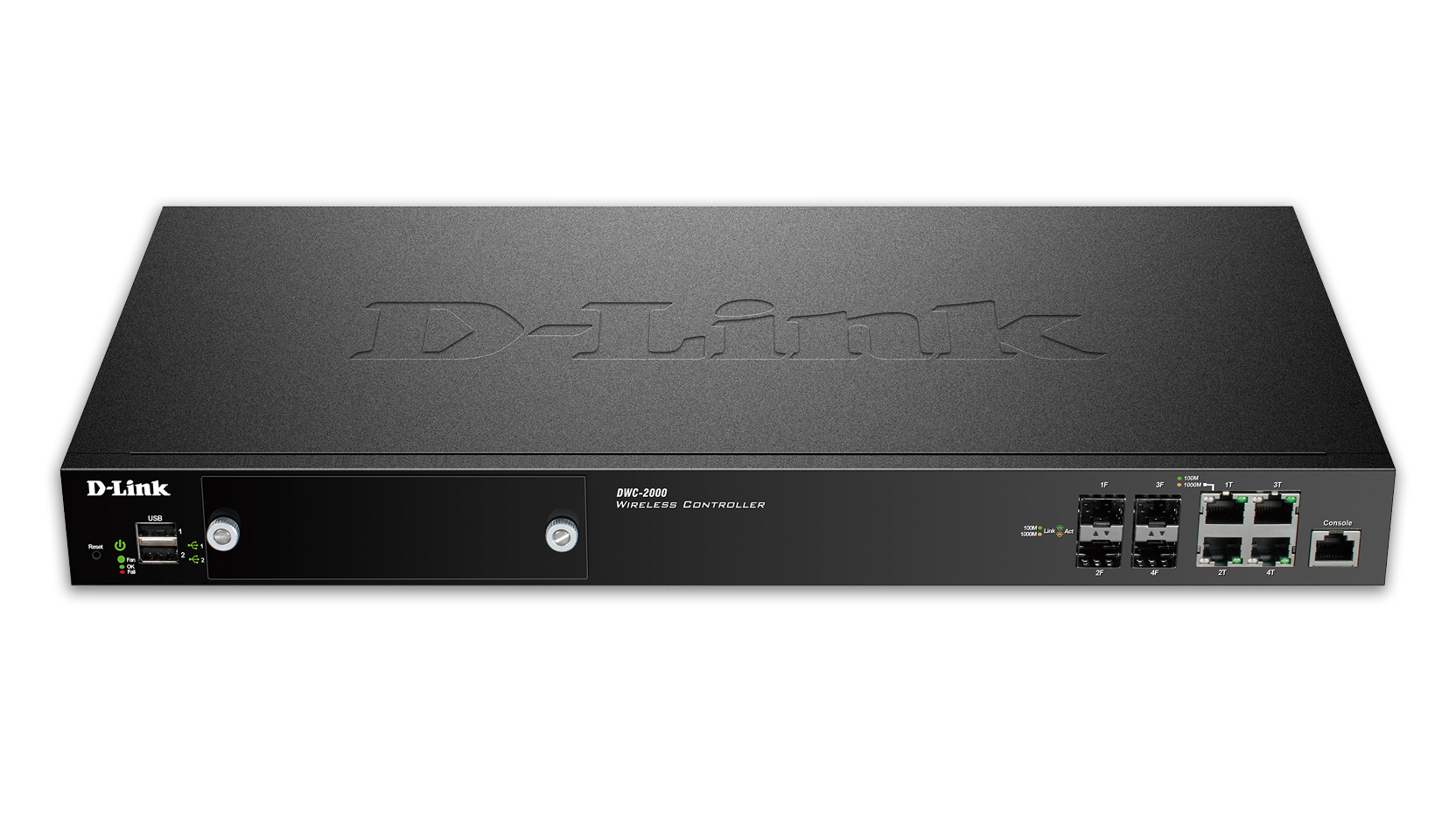
D-Link's DWC-2000 Unified Wireless Controller is a cost-effective wireless management solution suitable for large Access Point deployments. Capable of managing 64 Unified Wireless Access Points Out of the box, it provides a Reliable, Secure, Self-Healing, Scalable wireless network suitable for education, hospitality and businesses of any size.
Overview
D-Link's DWC-2000 Unified Wireless Controller is a cost-effective wireless management solution suitable for large Access Point deployments. Capable of managing 64 Unified Wireless Access Points Out of the box, it provides a Reliable, Secure, Self-Healing, Scalable wireless network suitable for education, hospitality and businesses of any size.
- Integrated appliance for centralised wireless network management
- Support for 12 Access Points; upgradeable to 66 Access Points1
- Up to 4 Wireless Controllers in a cluster, to manage up to 264 Access Points centrally1
- Dynamic wireless network adjustment to ensure top performance at all times
- Can be connected directly to the Internet when upgrading with VPN/firewall license – ideal for branch offices
- Easy to use Web interface and straightforward configuration
- USB port for file and printer sharing
- Enhanced security with Captive Portal and RADIUS support
Below optional upgrade licence available to upgrade the number of access point support per device:
- DWC-1000-AP6-LIC: 6 access points support upgrade for DWC-1000
- DWC-1000-VPN-LIC: VPN security service pack for DWC-1000
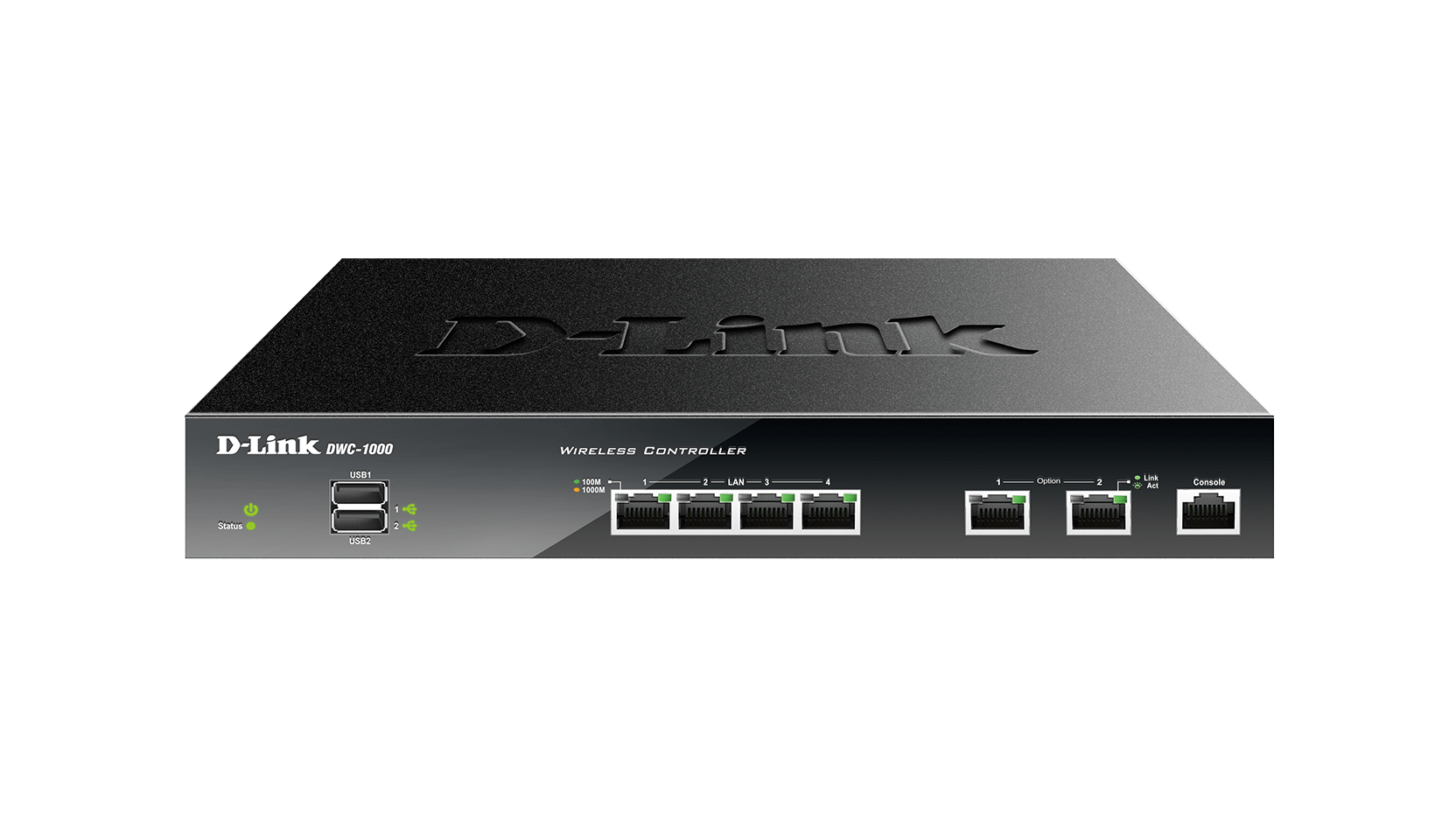
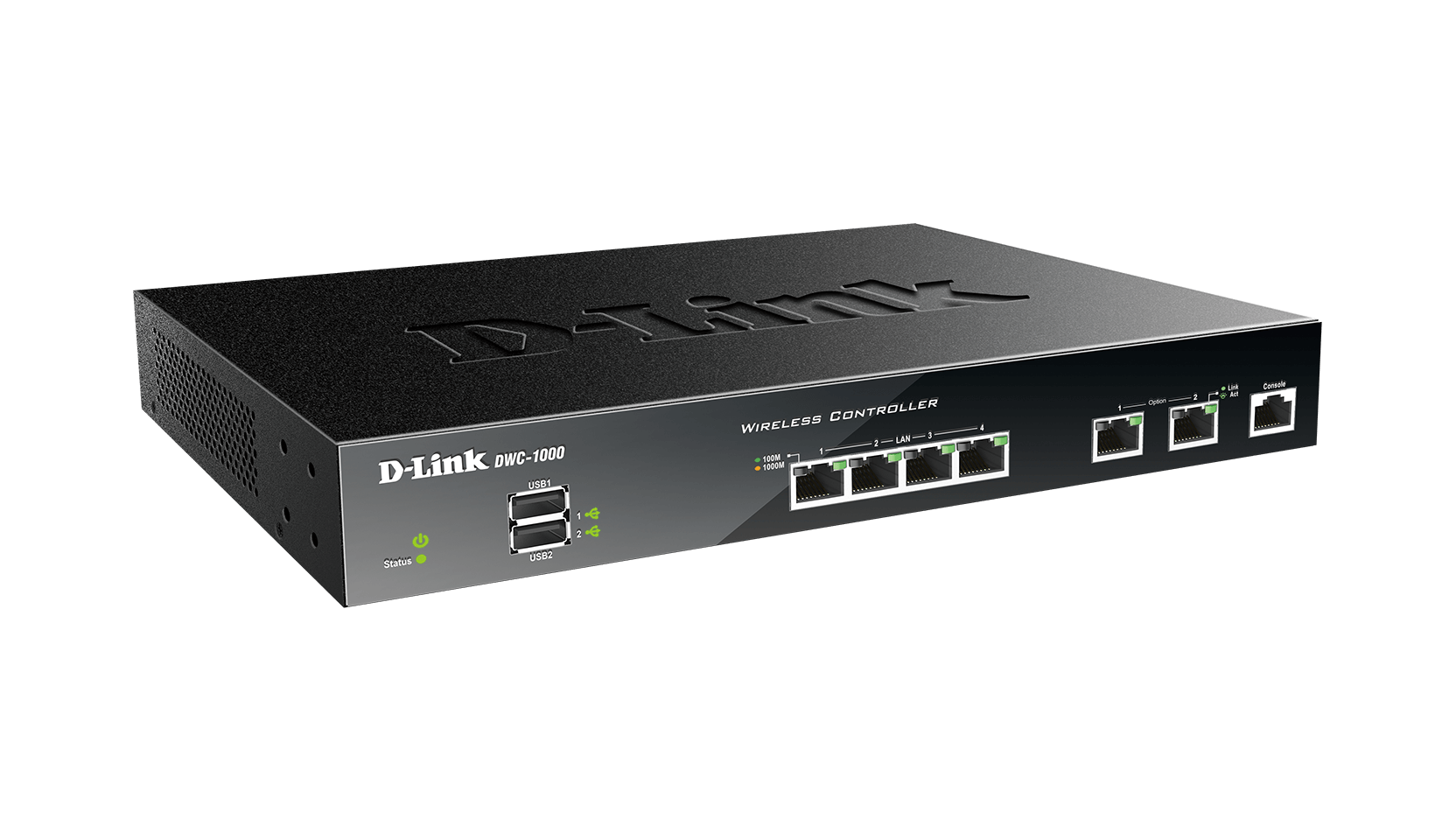
The D-Link DWC-1000 Wireless Controller is a centralised wireless LAN manager developed specifically for campuses, branch offices, and small-to-medium businesses (SMBs). With the ability to manage up to 12 wireless access points (upgradeable to 66) and a maximum of 264 wireless access points in a controller cluster1, the DWC-1000 is a cost-effective mobility solution for small to medium-sized deployments. Its auto-managed AP discovery and single point management allow customers to acquire an enterprise-class system without the burden of maintaining massive and complex configurations.
Robust and Optimised Network
The DWC-1000 features a self-organising, self-optimising, and self-healing network capability to increase the stability of the entire wireless network. With interval-based radio scanning and performance analysis, the DWC-1000 automatically adjusts radio channels and output power periodically to avoid interference and keep the wireless network in an optimised state. In the event of a sudden loss of wireless signal caused by a “dead” access point in the network, the DWC-1000 will increase the transmit output power of neighbouring access points to expand RF coverage.
Comprehensive Security
The DWC-1000 provides a comprehensive wireless security solution for any network. On the wireless side, the DWC-1000 detects rogue access points and rogue clients using a Wireless Intrusion Detection System (WIDS), as well as anticipating wireless threats, preventing any potential damage and unauthorised access to the network. Other fundamental wireless security features include WPA Personal/Enterprise, WPA2 Personal/Enterprise, WEP, and MAC authentication to determine the identity of wireless devices. The captive portal feature allows administrators to block clients from accessing the network until the clients verify their identities. These authentication and authorisation layers also provide a robust security barrier to protect against attacks from within the network.
High Scalability, Availability, and Flexibility
To address the constantly growing scale and needs of business networks, the DWC-1000 offers a flexible selection of expansion features: administrators can purchase a Business Wireless Plus license to upgrade the capabilities of the DWC-1000. D-Link offers two types of Business Wireless Plus licenses: an AP license upgrade and a VPN license upgrade. The AP license upgrade increases the number of manageable access points. By default, the DWC-1000 can manage up to 12 access points. Purchasing an AP license will upgrade this to 66 access points per controller1. The VPN license upgrade enables the DWC-1000 to provide VPN, router, and firewall functionality. The firewall function allows administrators to control network access by setting classification policies. The dual option ports provide link failover and provide Internet connection redundancy to ensure uninterrupted Internet connectivity. The virtual private network (VPN) feature provide secure remote control to manage access points in branch offices. Site-to-site VPN tunnels use the IP Security (IPSec) Protocol, Point-to-Point Tunnelling Protocol (PPTP), or Layer 2 Tunnelling Protocol (L2TP) to facilitate branch office connectivity through encrypted virtual links. In addition, the Secure Sockets Layer (SSL) VPN tunnels empower your mobile users by providing remote access to a central corporate database.
Simplified Management
Centralised remote control of managed access points provides a simple way to automatically discover compatible D-Link wireless access points, add them to the managed access point list, and configure them with one-time deployment settings. With the controller clustering feature, the administrator can easily log into one wireless controller and perform essential configurations on other wireless controllers in the cluster group. The real-time monitoring of access points and associated client stations enable the efficient utilisation of network resources. System alarm and statistics reports on managed access points also help the administrator to use the DWC-1000 to manage, control and optimise network performance.
1 Hardware version C1. The number of managed APs can be increased through purchase of license upgrades.
Specs
|
Management platform
|
Hardware |
|---|---|
|
Access point management - number supported per unit (default/upgradeable)
|
12/66 APs |
|
Supported access points
|
DWL-8610AP DWL-6610AP DWL-2600AP DWL-3600AP DWL-6600AP DWL-8600AP DWL-6700AP DWL-8710AP DWL-3610AP DWL-8620AP DWL-8620APE DWL-7620AP DWL-6610APE DWL-6620APS DWL-8720AP (with DWC-1000 ver. C1 only) |
|
Layer
|
Layer 3 |
|
Number of ports
|
5 to 14 ports |
|
Main type of ports
|
1000BASE-T Gigabit Ethernet |
|
Type of uplink ports
|
1000BASE-T Gigabit Ethernet |
|
Maximum number of device clustering per group
|
4 |
|
AP auto discovery and monitoring
|
Supported
|
|
Auto channel and power management
|
Supported
|
|
Fast roaming
|
L2 |
|
WPA/WPA2-personal/enterpise
|
Supported
|
|
TKIP/AES encryption
|
Supported
|
|
Rogue AP/Client detection and mitigation
|
Supported
|
|
WIDS
|
Supported
|
|
VLAN group (max static)
|
255 |
|
VLAN type
|
Protocol-based Port-based MAC-based GVRP |
|
Advanced VLAN
|
Voice VLAN Double VLAN (Q-in-Q) |
|
Routing table size
|
100 |
|
Static route for IPv4/IPv6
|
IPv4 - 100 |
|
RIP v1/v2
|
Supported
|
|
OSPF
|
Supported
|
|
Number of QoS queues per port
|
4 |
|
CoS based on contents
|
Supported
|
|
Bandwidth control
|
64 Kbps minimum granularity |
|
ACL based on packet contents
|
Supported
|
|
Time-based ACL
|
Supported
|
|
Encryption protocol supported
|
SSL (v1/v2/v3) |
|
802.1X access control
|
Supported
|
|
RADIUS/TACACS+ authentication
|
Supported
|
|
Captive portal
|
Supported
|
|
VPN upgrade
|
Supported
|
|
SNMP (v1/v2c/v3)
|
Supported
|
|
AP authentication by local database and external RADIUS
|
Supported
|
|
External user databae - POP3 and LDAP
|
Supported
|
|
Centralised AP firmware upgrade
|
Supported
|
|
WMM
|
Supported
|
|
Access point management - number supported per cluster (default/upgradeable)
|
48/264 |
Support
Downloads can vary across product revisions. Please select the correct hardware revision.